
FORM SUBMISSIONS
Chrome

- Click the "three dashes" (top right).
- More tools > Clear Browsing Data
- Change "Time range" to "All Time."
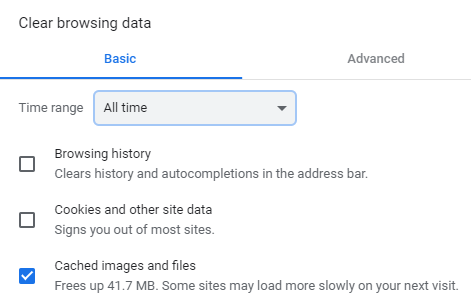
- Check the "Cached Images and Files."
- Click "Clear Browsing Data."
IE (internet Explorer)
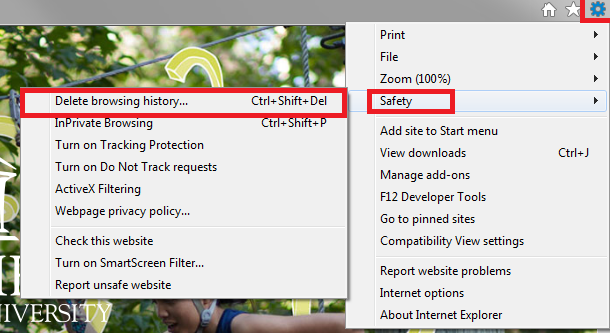
- Gear wheel (top right)
- Safety > Delete Browsing History

- Check "Temporary Internet files and website files." > Click "Delete."
Safari
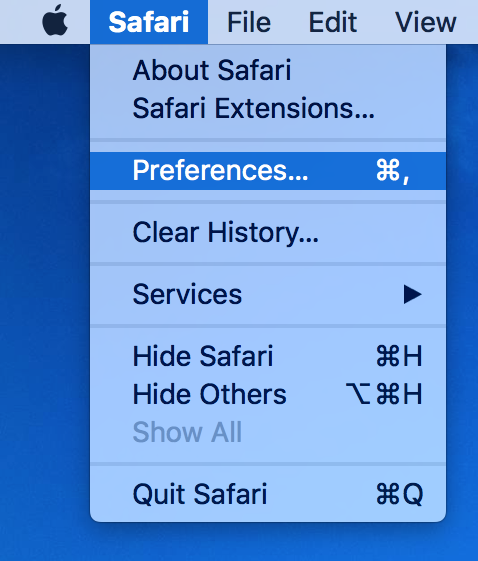
- Click "Safari" in the upper left hand side. When the menu appears, click "Preferences."
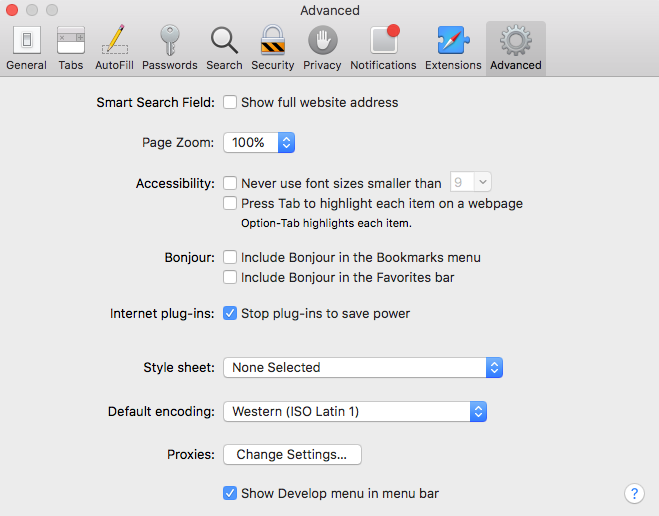
- In the window that appears, click the Advanced tab. Check the box at the bottom that says Show Develop menu...
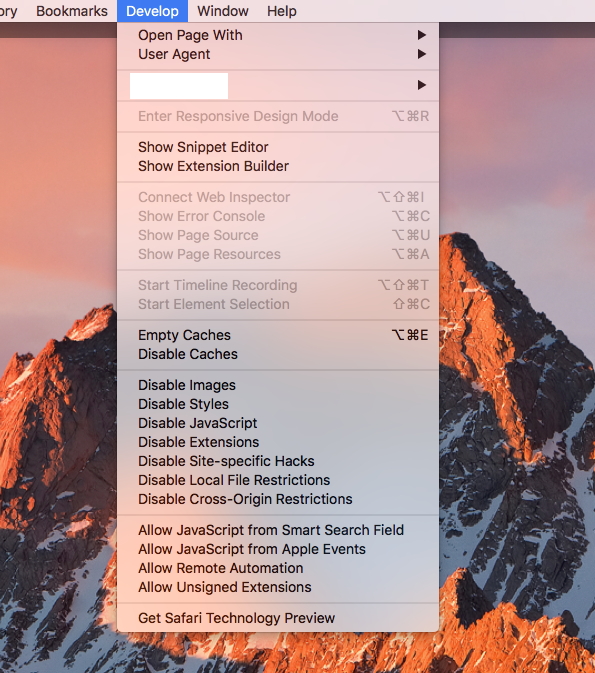
- Close the window and then click on the Develop menu.
- Click on Empty Caches.
Firefox

Click the three dashes (top right).

Options > Advanced (left side) > Cached Web Content > Clear Now